Great style from last night
Sophie B at Toronto Fashion week
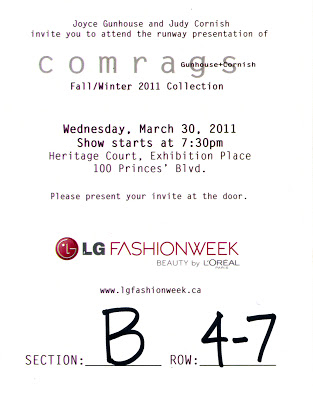
Saw this gal Sophie B at the Comrags show last night and had to take a shot of her. Thought she had such a great pulled together style - loved the flowery blouse + peg leg pants and grrr.. how'd she get her hair to go like that? :-) She very much reminded me of a young Fran Liebowitz.
ps. Extra excited as I've just gotten a nice illustration assignment on the topic of androgyny. Sophie will serve as inspiration for it. Can't wait to show you sketches after the piece is published!
Yay this is tonight.
My neighbour Jeff of Joy tshirt
My neighbour Jeff (running on very little sleep!)
The inky tshirt press.
Lovely Assistant Sophie
My neighbour Jeff two doors over runs a great little company called joy tshirt.
This week he had a crazy order to fill of 1100 tshirts (yep) so I helped him out a bit plus grabbed some shots of his studio in full production mode! It's so great to have Jeff as a neighbour - not only is he a sweet guy + great cook but if I ever run out of ink at 10pm I know I can knock on his door.
I heart my Artscape community. :-)
Beginning work on new Penguin Print
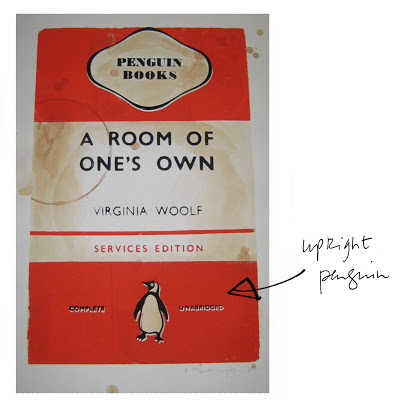
Here is the Room of One's Own print
Note upright penguin!

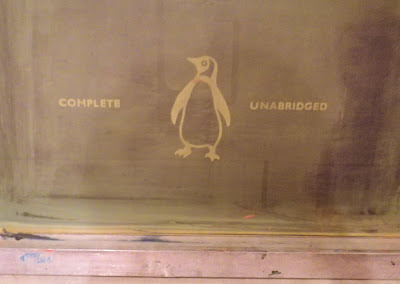
Here is the screen used to make it.
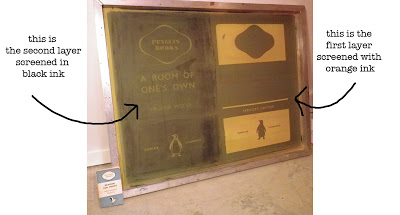
Close up of Upright penguin on screen
Here is the title requested by Paul
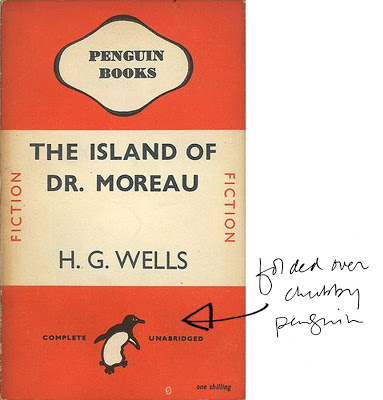
Step1: Create your image.
Step 2: In Photoshop separate the image out into layers; one for each colour.
Step 3: Make each layer 100 % black as in below:
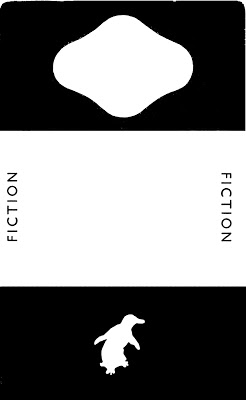
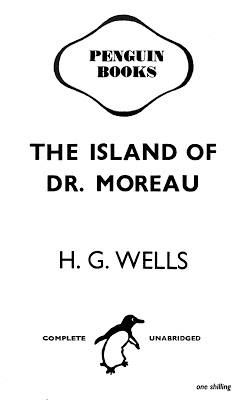
Layer one will be screened in orange Layer two will be screened in black
I am finally getting down to creating a custom print ordered by Paul Buckley, Creative Director of Penguin books USA. When I created my first series of prints I chose to use the "upright penguin"with all the titles which meant that I could use the same large screen for all 4 prints. The cover Paul has requested however contains the "chubby folded over penguin" rather than the upright one which means I need to make a brand new large screen. Above I have listed the steps in beginning to make a new screen. When you have completed the 3 steps as in above Step 4 is to create "film" by transfering the image onto acetate.
Because my image is so large I need go to a print shop to have it enlarged. My favourite printer for this task is Midtown reproductions on Adelaide St. in Toronto.
Note upright penguin!
Here is the screen used to make it.
Close up of Upright penguin on screen
Here is the title requested by Paul
Step1: Create your image.
Step 2: In Photoshop separate the image out into layers; one for each colour.
Step 3: Make each layer 100 % black as in below:
Layer one will be screened in orange Layer two will be screened in black
I am finally getting down to creating a custom print ordered by Paul Buckley, Creative Director of Penguin books USA. When I created my first series of prints I chose to use the "upright penguin"with all the titles which meant that I could use the same large screen for all 4 prints. The cover Paul has requested however contains the "chubby folded over penguin" rather than the upright one which means I need to make a brand new large screen. Above I have listed the steps in beginning to make a new screen. When you have completed the 3 steps as in above Step 4 is to create "film" by transfering the image onto acetate.
Because my image is so large I need go to a print shop to have it enlarged. My favourite printer for this task is Midtown reproductions on Adelaide St. in Toronto.